The Order Fulfillment Hub
We route your clients through our MD Network when a prescription is required—otherwise straight to vendor shipping. You focus on care; your Orders Dashboard shows revenue and progress in real time.
Two fulfillment paths, one dashboard
MD approval → secure link → purchase → vendor
- Professional introduces product and starts intake or books MD visit.
- MD/LP approves; system issues a time-limited, patient-scoped purchase link.
- Patient completes purchase; an order is created.
- Vendor is assigned, adds tracking, ships; patient gets updates & secure tracking.
Client purchase → vendor shipping
- Client purchases directly via your link or partner page.
- Order routes to the correct vendor automatically.
- Tracking & delivery events flow back to the patient portal and your dashboard.
Who sees what
Professionals
- Orders Dashboard for revenue, status, filters & CSV.
- See conversions and performance—no unnecessary PHI.
MD / Licensed Provider
- Approve prescriptions from visit or intake; issue secure links.
- See attestation and approval audit history.
Vendors
- Receive only the details required to fulfill; update carrier + tracking.
- Masked contact info by design.
Patients
- Use secure purchase links; see shipping updates in their portal.
- Get timely notifications at each fulfillment step.
Built-in safeguards
Secure links
Time-limited, patient-scoped, limited-use links after MD approval (when required).
Scoped access
Vendors only see their orders; professionals see performance and revenue—not PHI.
Rate-limited messaging
Keeps LP↔Patient threads focused on the order and prevents abuse.
Audit logging
Approvals, links, messages, vendor events and deliveries are logged for ops/compliance.
Privacy-minded UI
Masked contact details in vendor views; least-privilege defaults applied system-wide.
Support hooks
Exceptions escalate through the Fulfillment Console with ticketing hooks.
The Hub in action
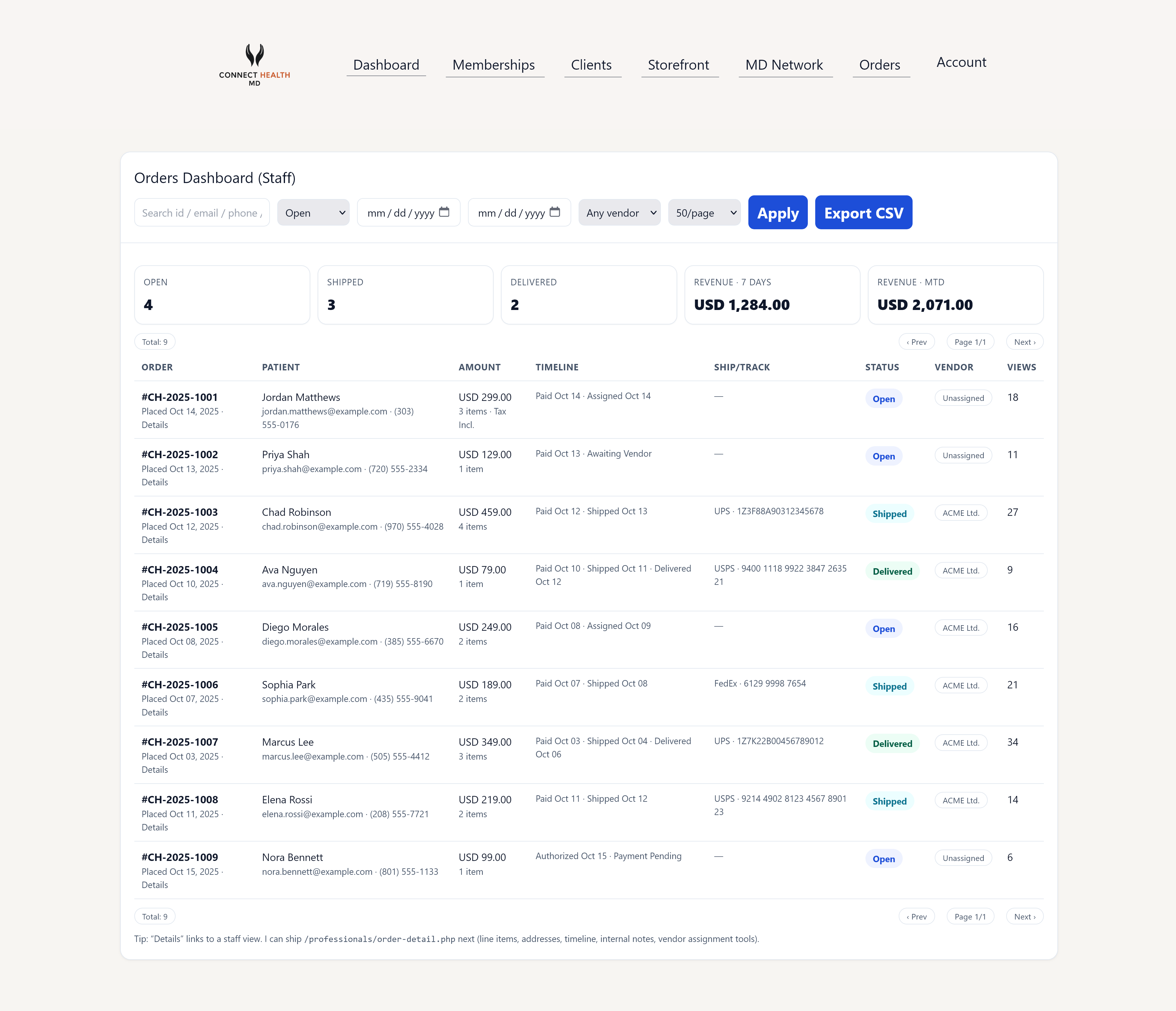
Revenue totals, filters, exports, and per-order status at a glance.
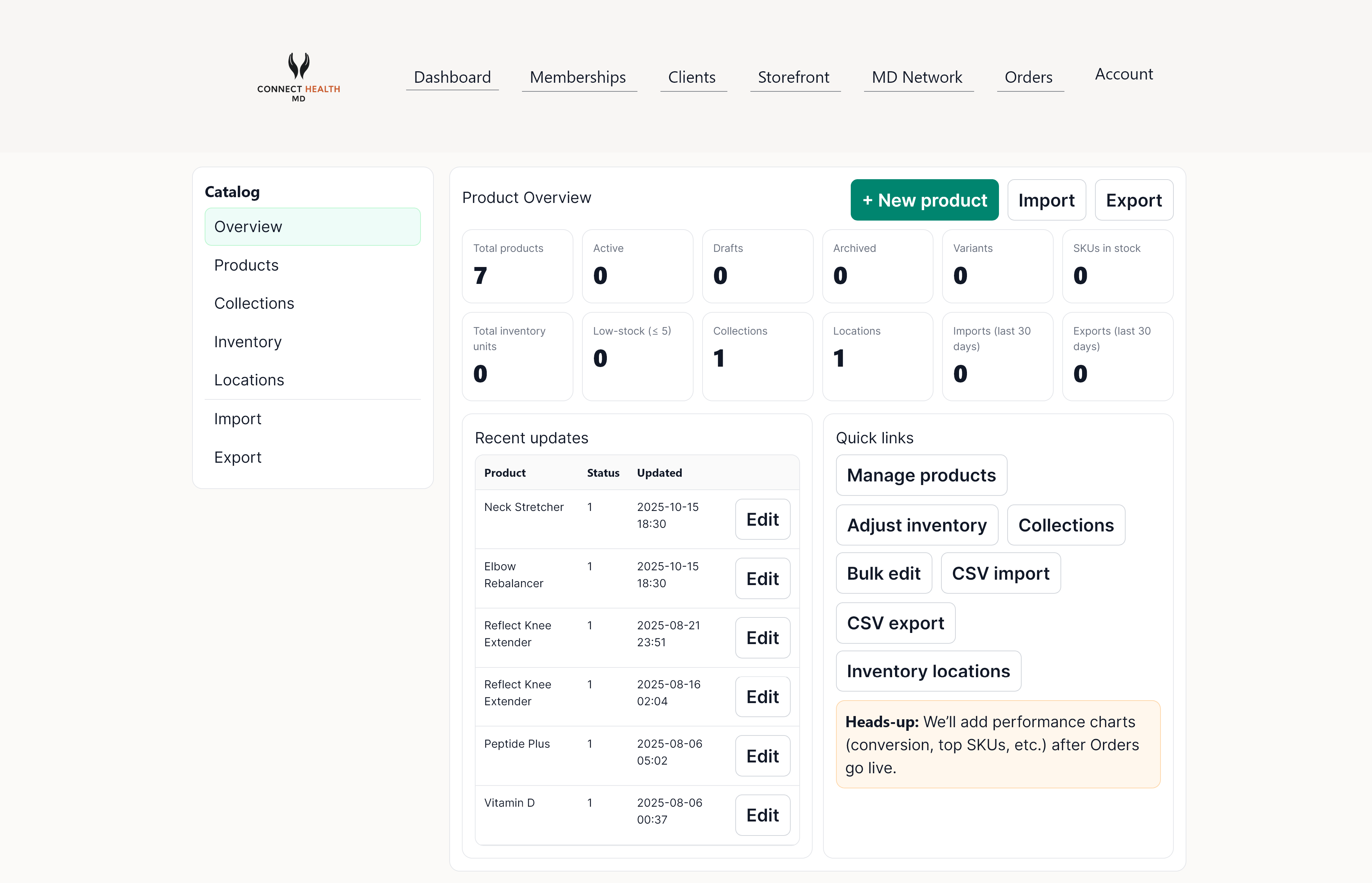
Per-order detail, audit events, messaging, and exceptions workflow.
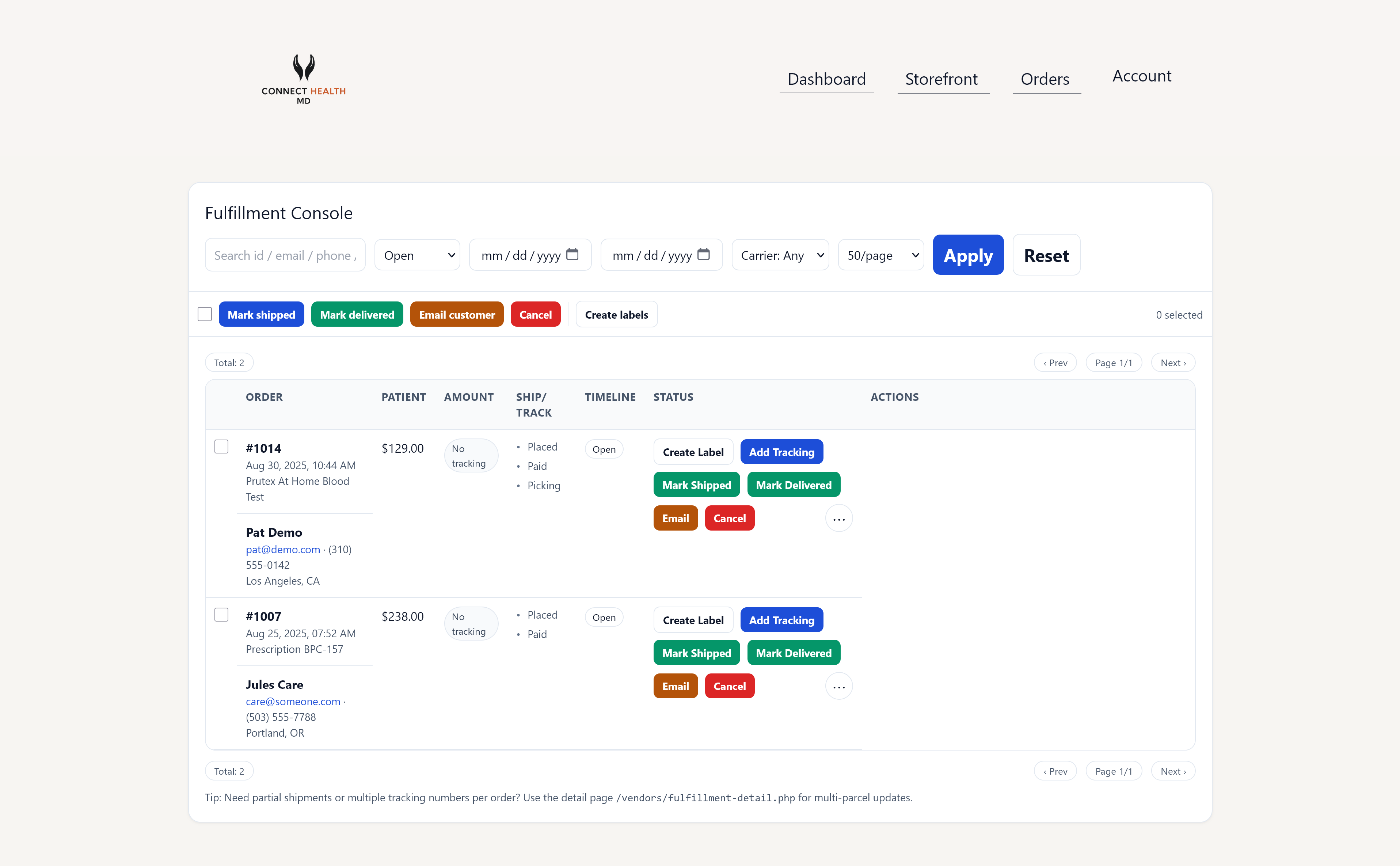
Vendors add carrier + tracking; patient sees updates; ops sees logs.
Ship faster. Support less. Track everything.
Open your Orders Dashboard to start routing purchases and watching revenue update in real time.